
Filed once. Reviewed in place. Intelligence built in.
Local governments file once. Agencies review in place. Every accepted filing becomes a trusted data layer for AI-native analysis and report generation.
See what is due, what is late, and what needs review in one live view.
Fill the official form online, with live totals, prior-year answers, and questions attached to the field.
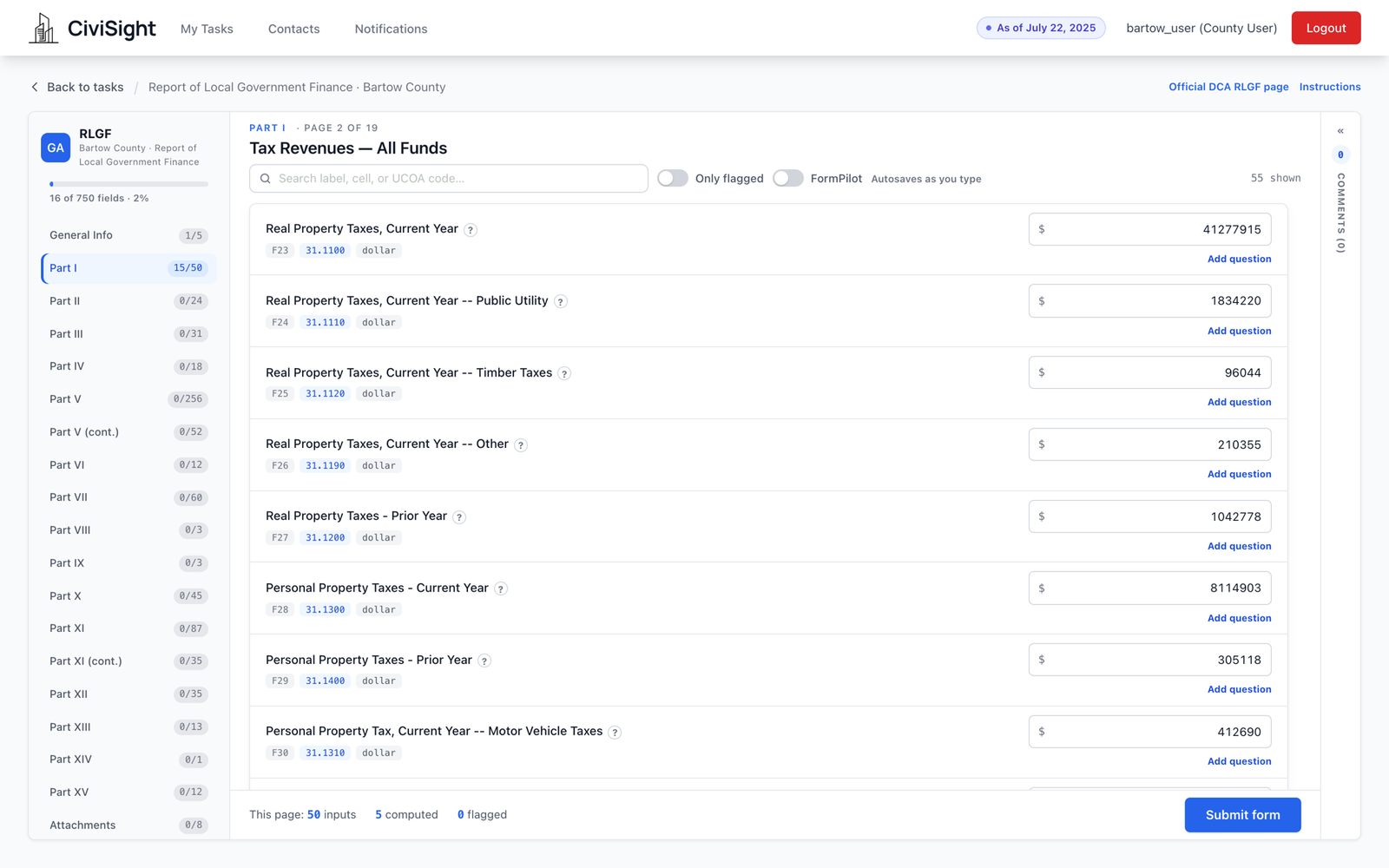
The whole official form, online
The Report of Local Government Finances is 897 fields across 19 pages, Parts I through XV plus attachments. CiviSight renders every one of them — carrying each line's UCOA account code and its cell reference from the state workbook, so a preparer who knows the paper form knows this one.
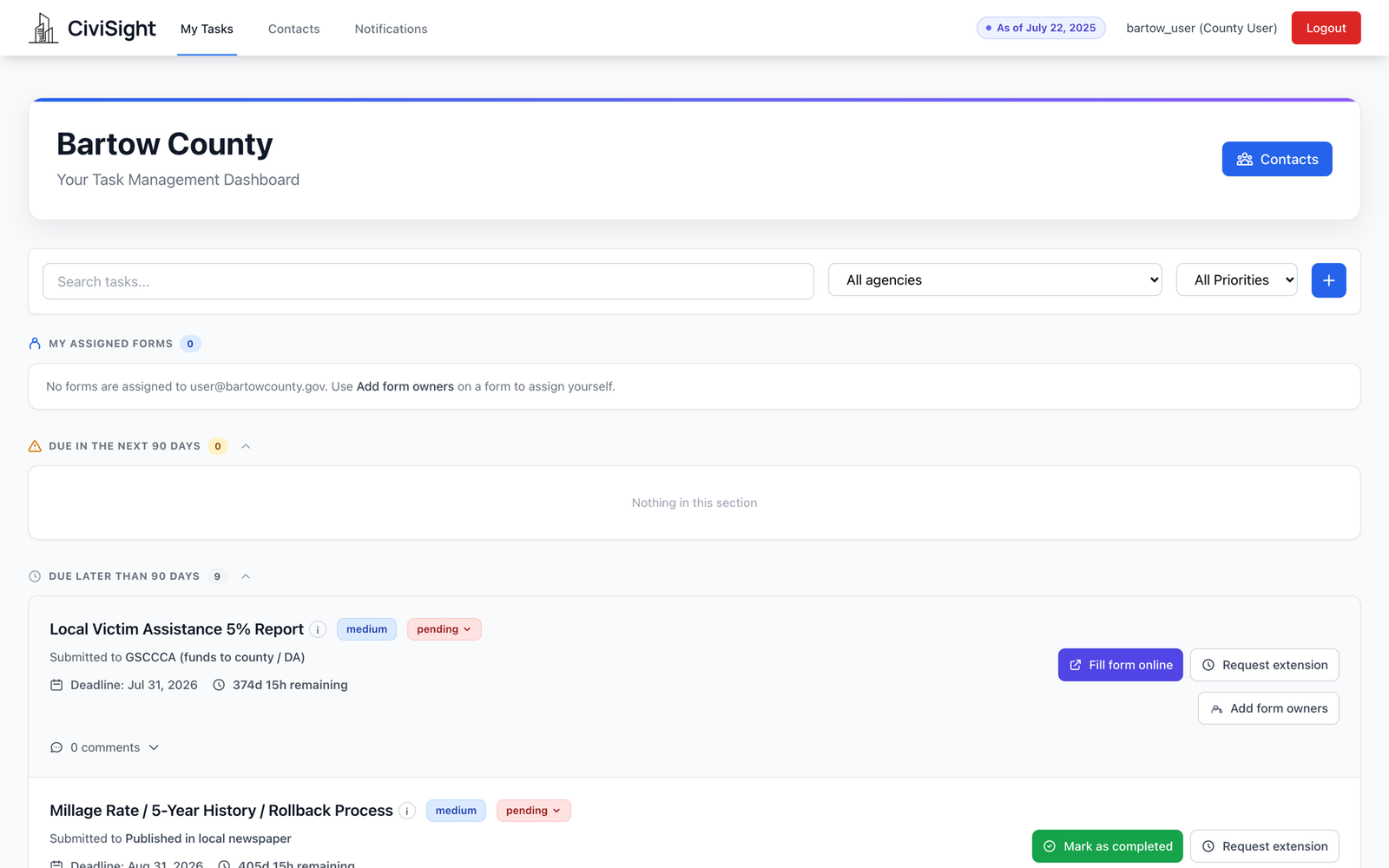
Every form, on its own clock
Audits, millage rate reports, hotel-motel tax, SPLOST, E-Verify attestation — each one showing which agency receives it and how long is left. Deadlines are computed from the entity's own fiscal year-end, because no two local governments close their books on the same day.
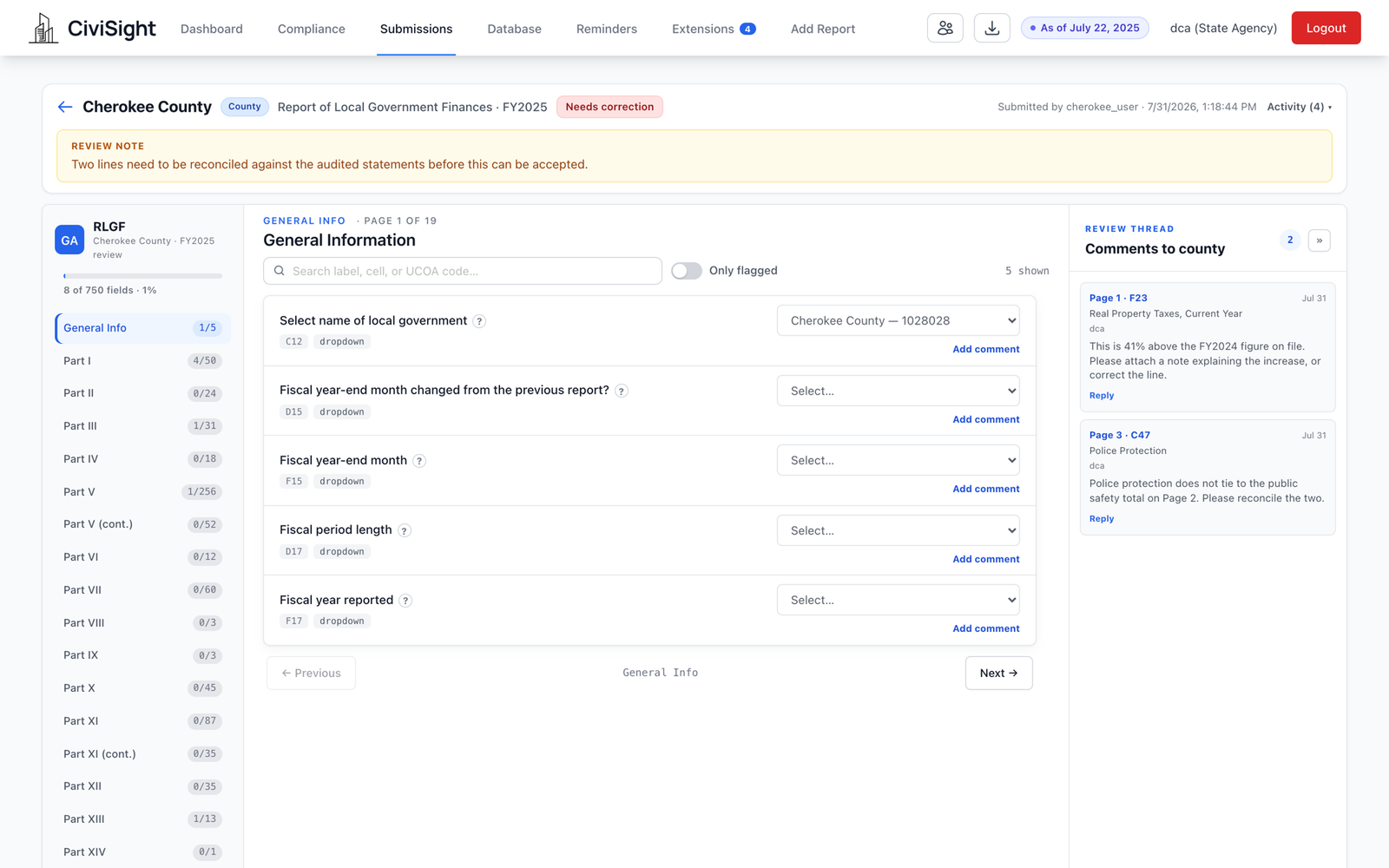
The question lands on the field it's about
When a reviewer questions a number, the question attaches to that number — Page 1, cell F23, Real Property Taxes — and appears there for whoever opens the form next. Replies stay on the same thread.
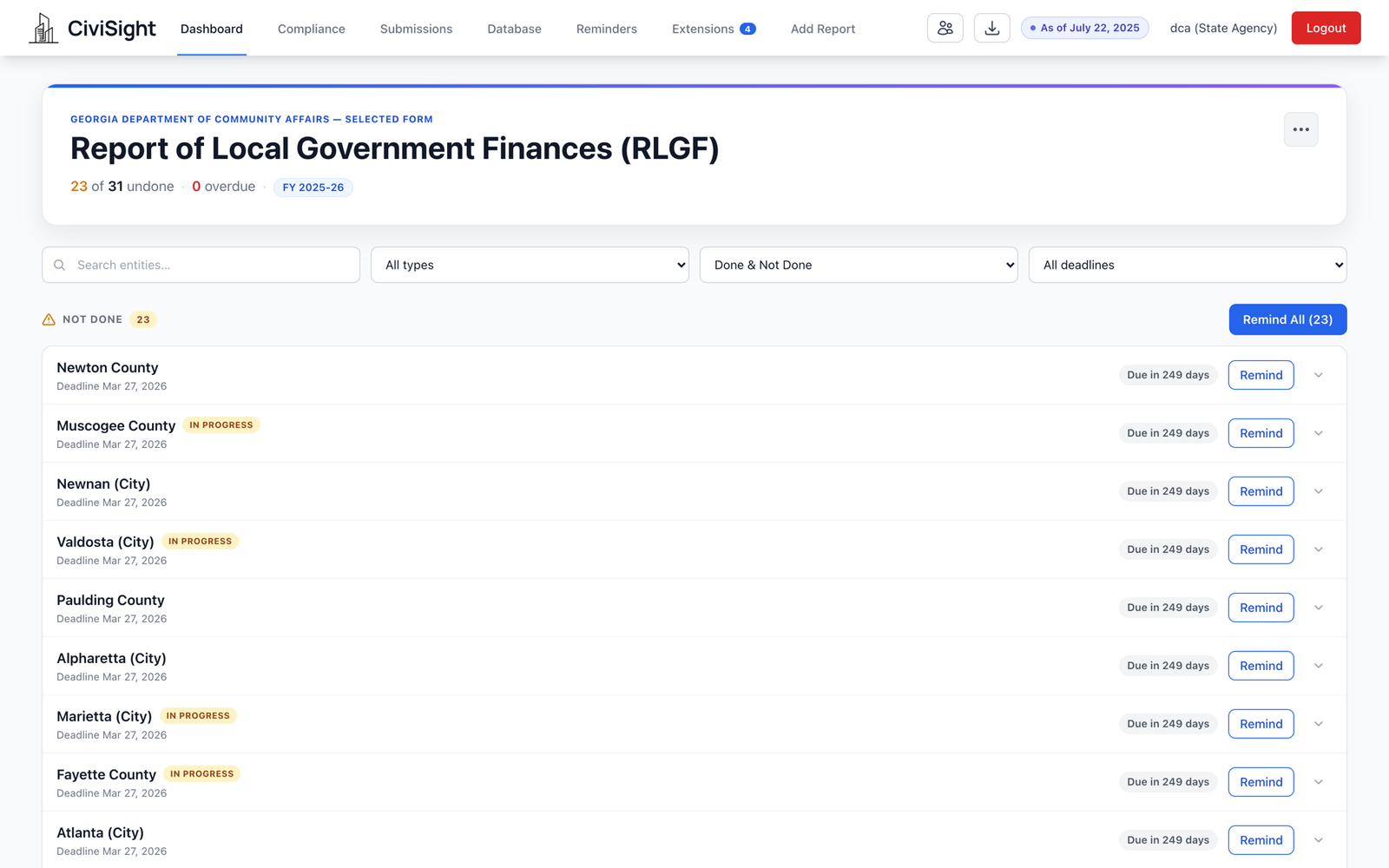
One form. Everyone who owes it.
See who has filed, who is late, and who has never filed. Filter by deadline, government type, or status.
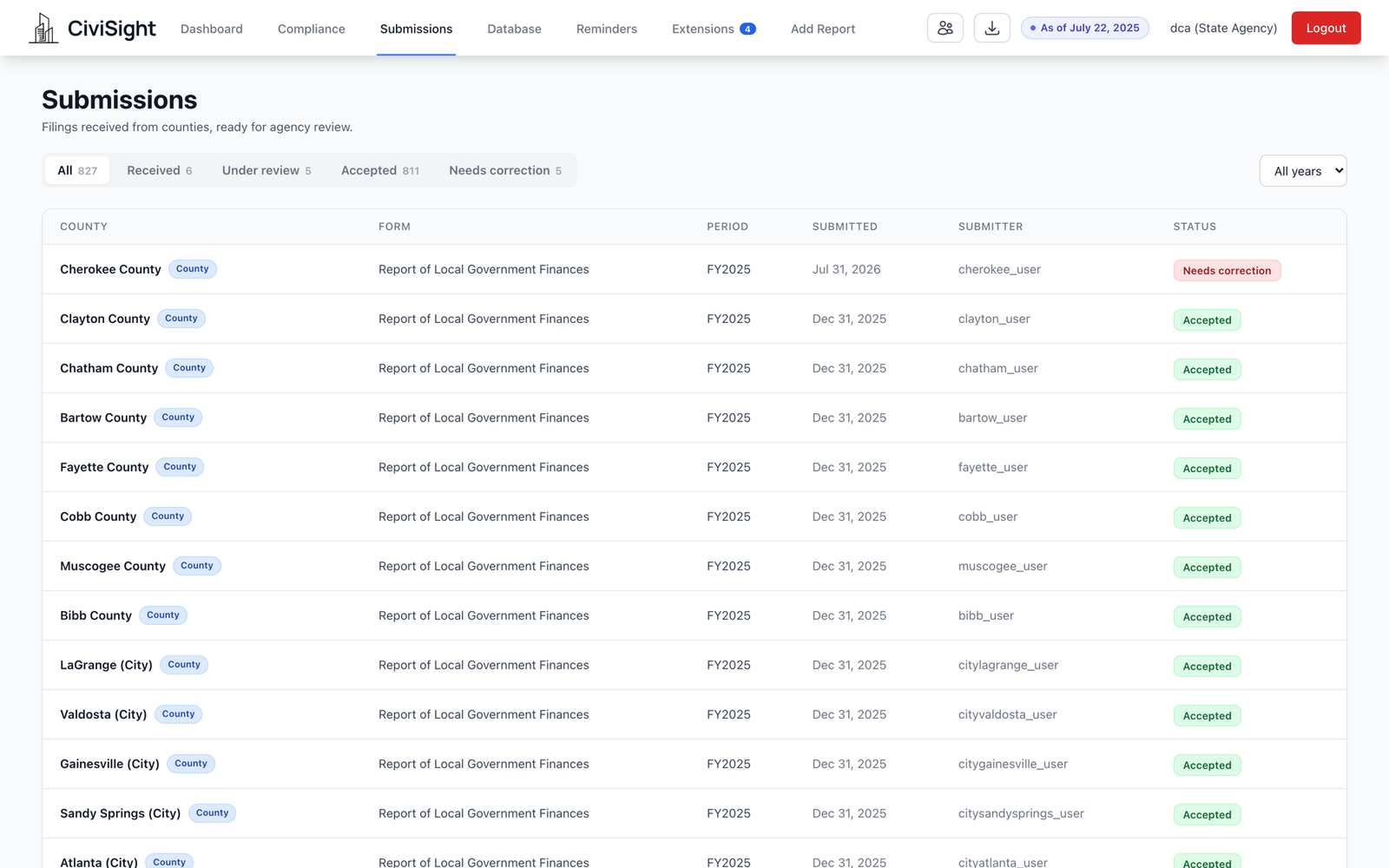
Received, reviewed, accepted — or sent back
Filings arrive into a queue with four honest states. A reviewer opens one, works through the pages, leaves questions where they belong, and then accepts it or returns it with those questions attached.
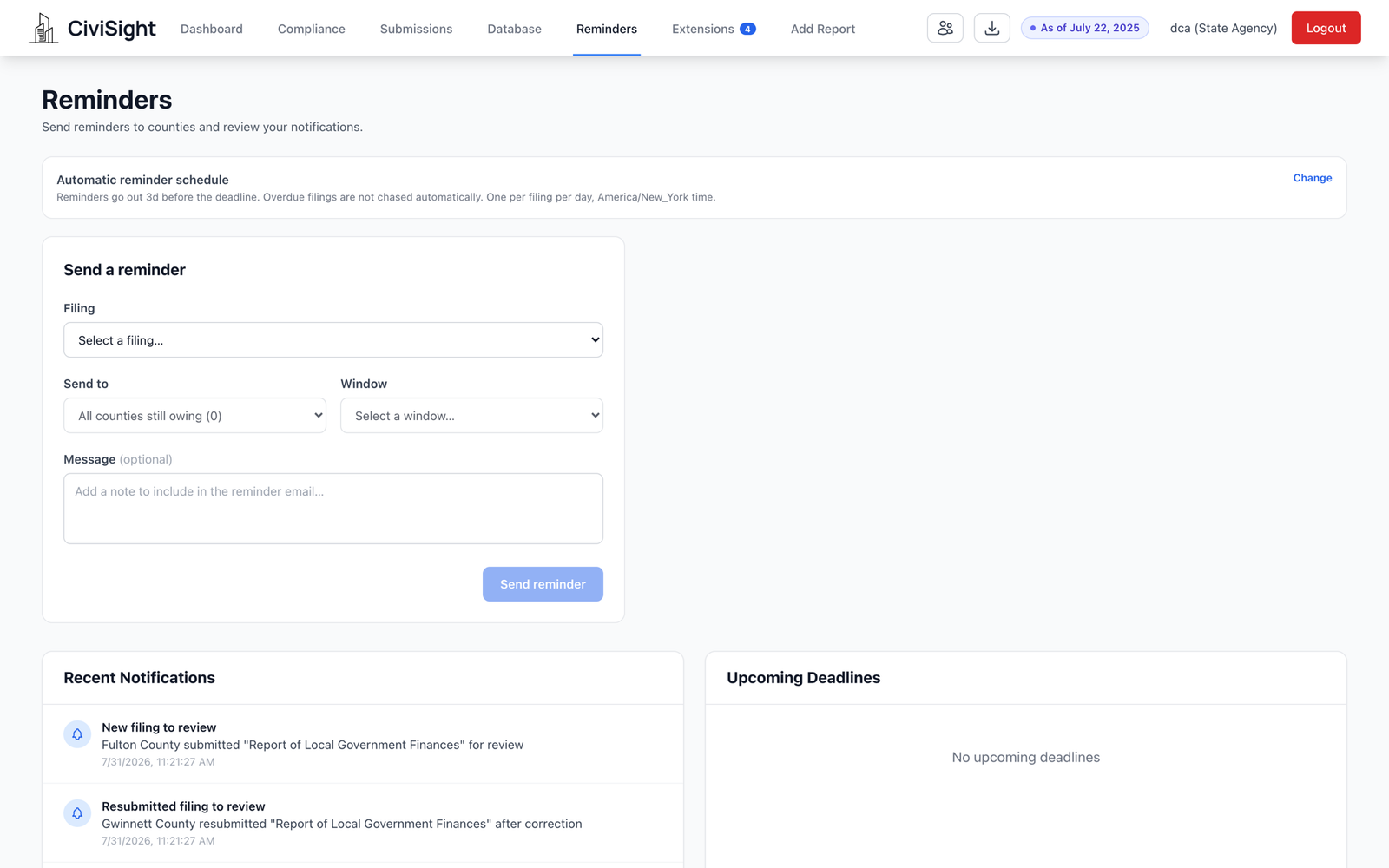
Deadlines, extensions, and reminders
Set reminder rules, approve 30, 60, or 90-day extensions, and keep the original statutory deadline visible on every record.
Structured in. Usable out.
Accepted filings are immediately comparable across governments and years.
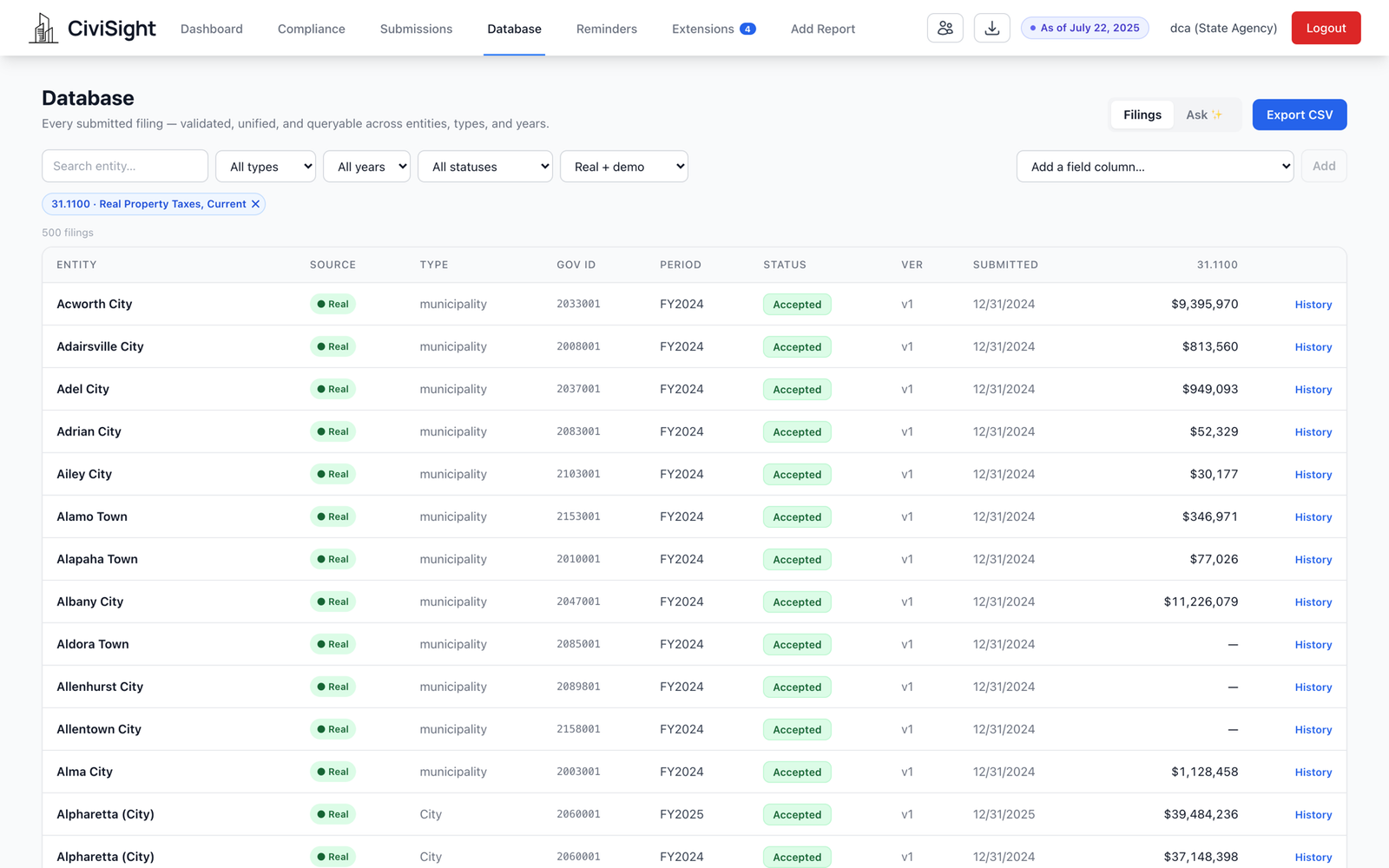
Every filing, in one table
Filter by entity, year, or status. Compare accounts across the state, preserve versions, and export the view as CSV.
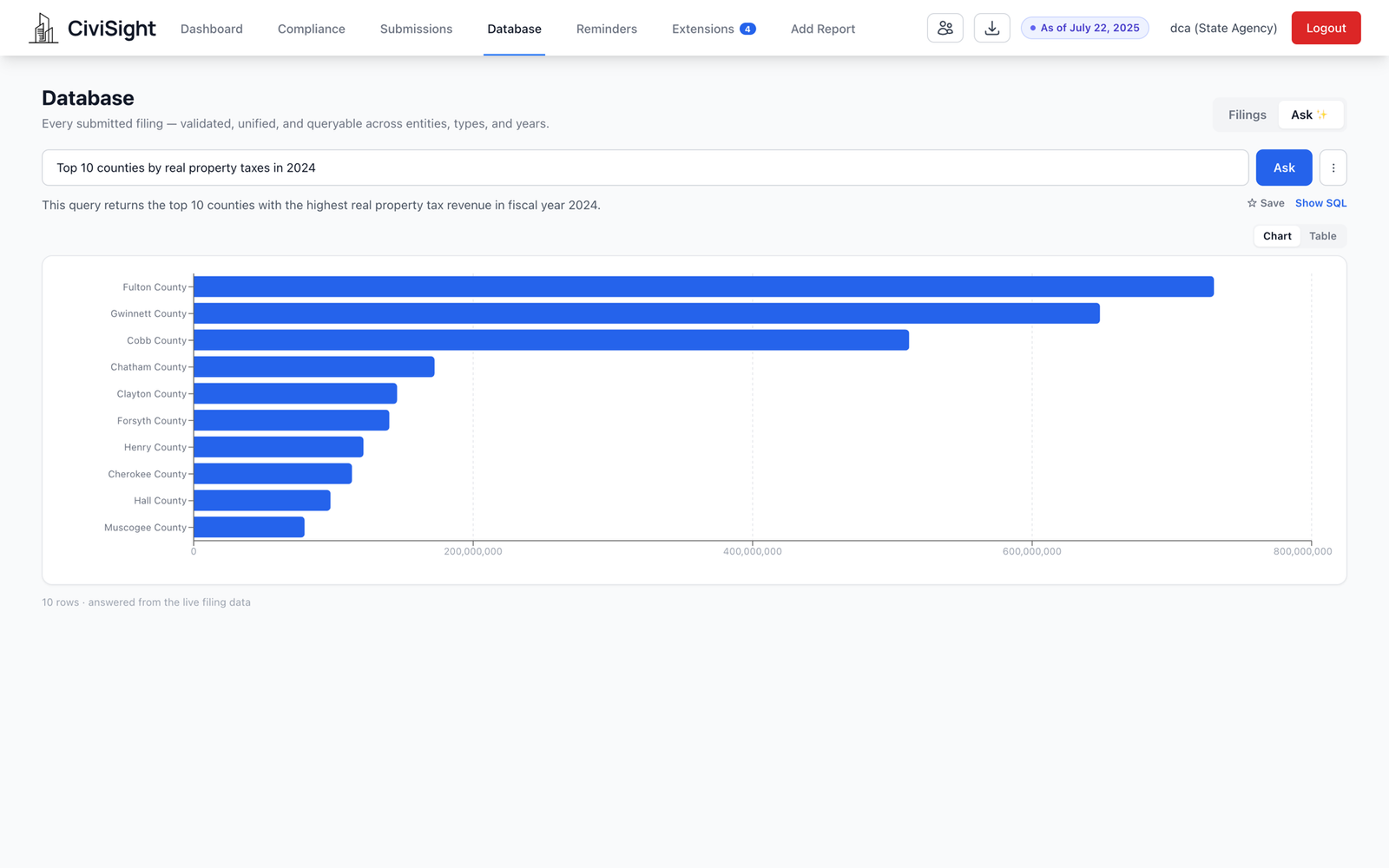
Ask in English. Check the SQL.
Ask in plain language and get a chart or table from live filing data. Every answer shows its assumptions and the SQL behind it.
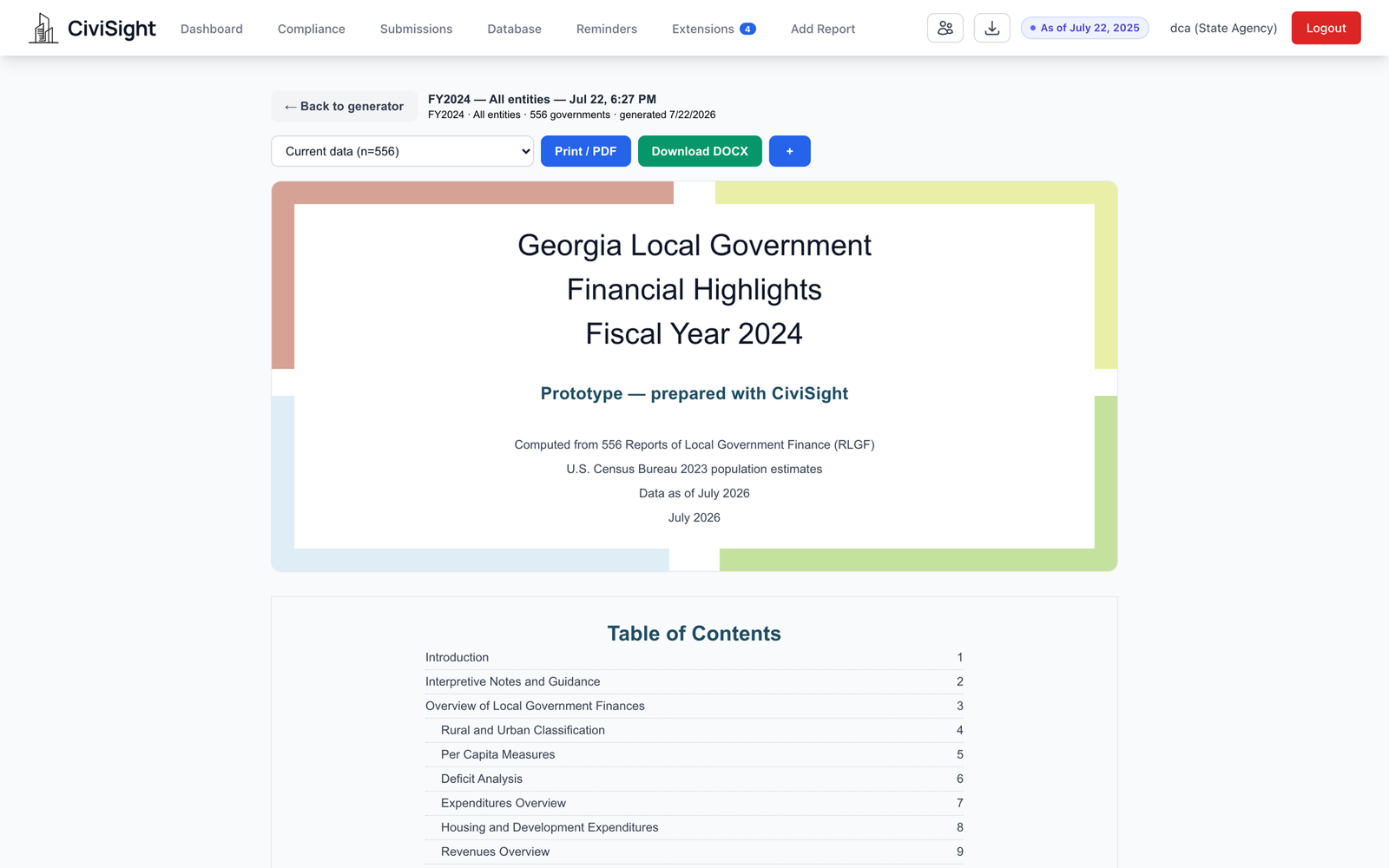
The annual report, computed from the filings
Generate the annual report from accepted filings, then scope, review, print, or export the edition to DOCX.
Built to be the record, not a copy of it.
Every answer should hold up months later, with its source intact.
A correction creates a new version of the filing. The one originally submitted stays exactly as it was filed.
Every value keeps the page and cell it came from, and the workbook it arrived in stays downloadable.
Requests, approvals, denials and review outcomes are written to an audit trail as they happen.
See the workflow in practice.
Follow a statewide report from filing to analysis.
Read the case study →